In the Setup tool, you can merge and split both Fields and layers. Follow the video and article below to learn how.
-Note: The Merge/Split Field functions are not available for Fields linked to Agworld. For Agworld customers, all boundary management should be done in Agworld and pushed to PCT Agcloud. The Merge/Split Layers function will work for Agworld-linked Fields.
-Note: The Merge/Split Layers function only merges or splits the layers and not the original datasets of the Field(s). If the datasets need to be stored under the new Field(s), they can be reimported, and the auto-process function will merge or split the data accordingly.
TABLE OF CONTENTS
Merge Fields
1. In the Setup tool, open the 'Field Editor' dropdown, click the 'Options' button for a Field, and select 'Merge'.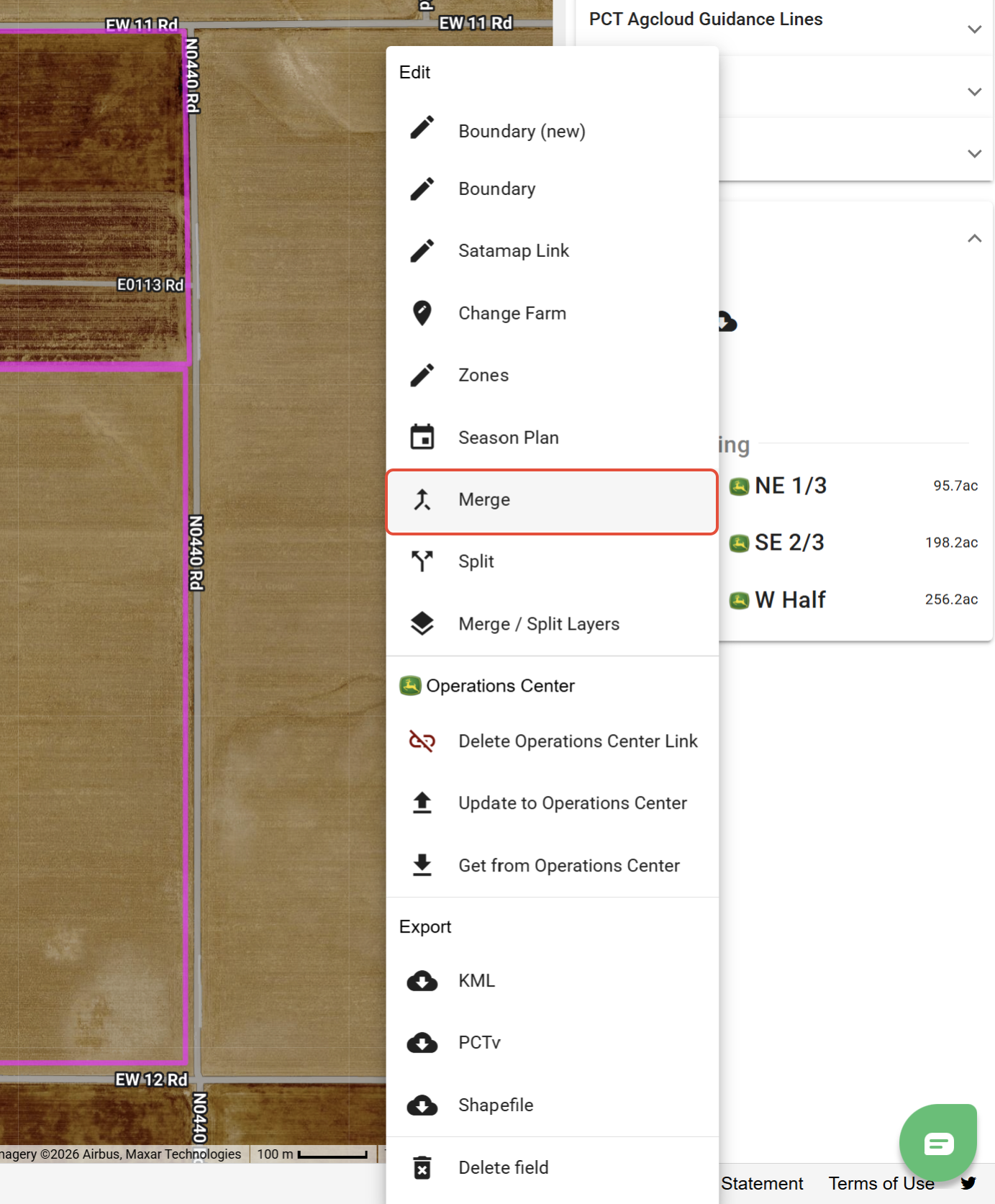
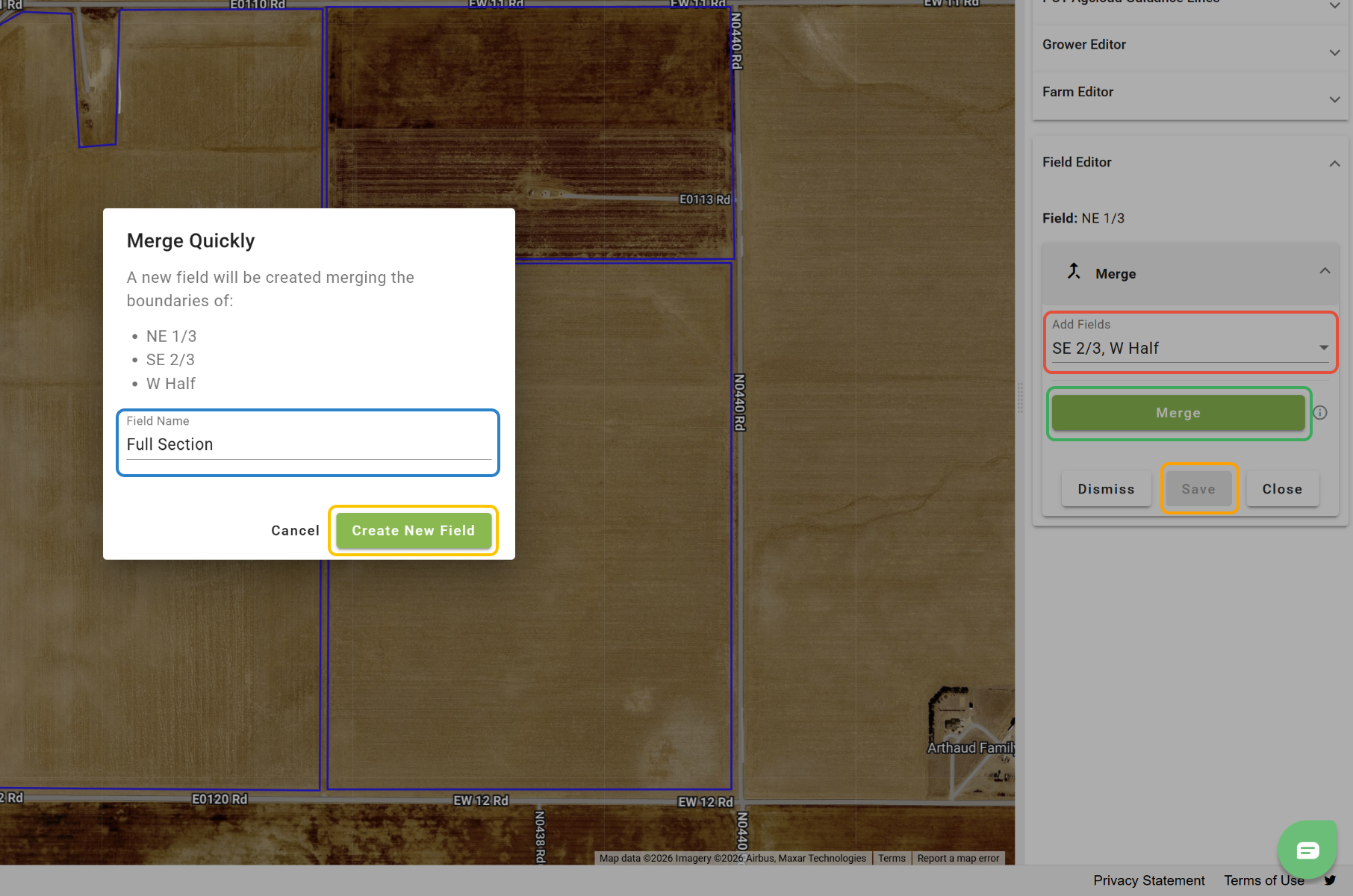
2. Select the Field(s) you want to merge.
3. Click 'Merge'.
4. Enter the name for the new Field.
5. Click 'Create New Field'.
6. Click 'Save'.
Split Fields
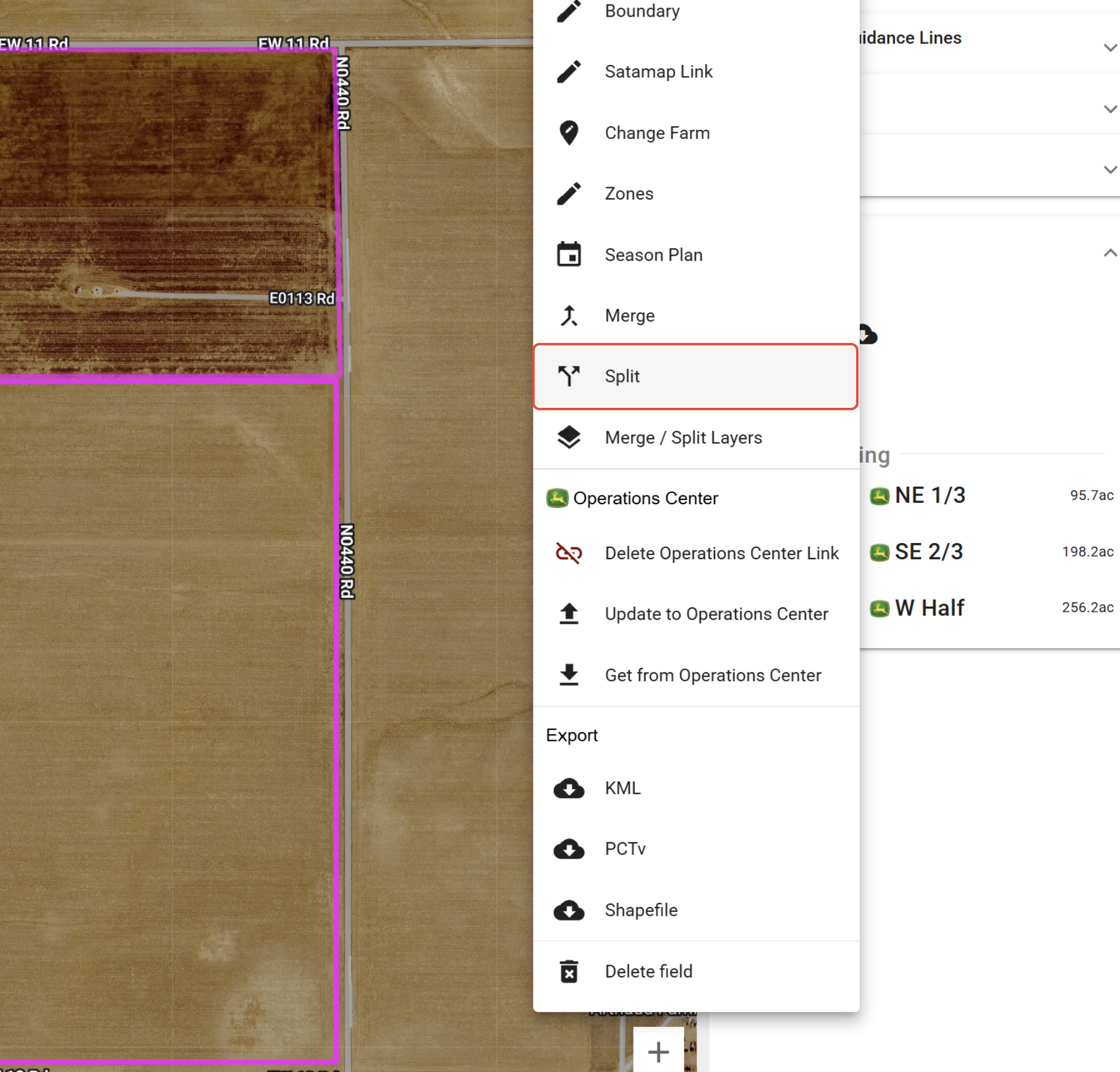
1. In the Setup tool, open the 'Field Editor' dropdown, click the 'Options' button for a Field, and select 'Split'.
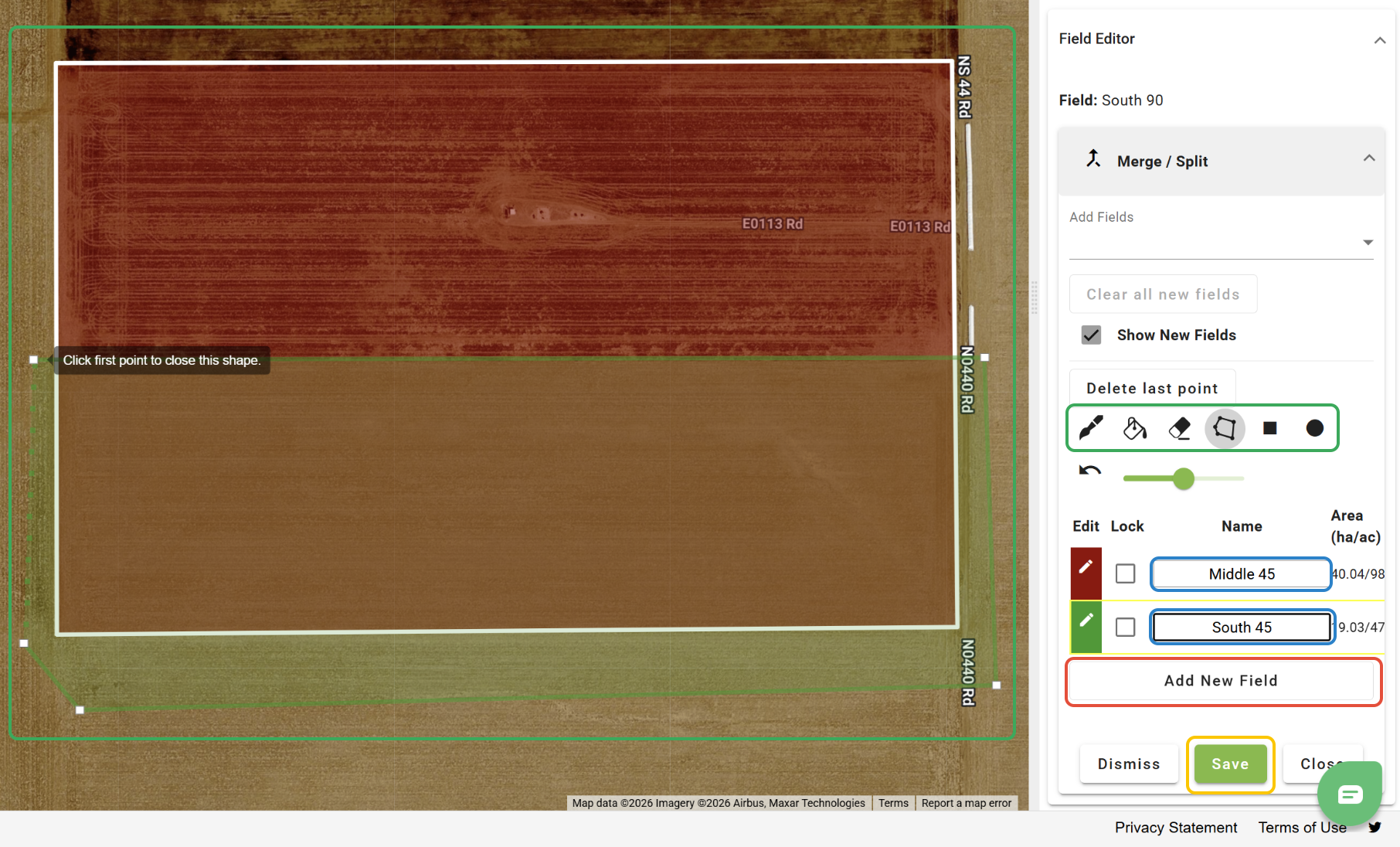
2. Click 'Add New Field' for the number of Fields you are creating.
3. Use the paint tools to create the new Fields.
4. Enter the names for the new Fields.
5. Click 'Save'.
Merge Layers
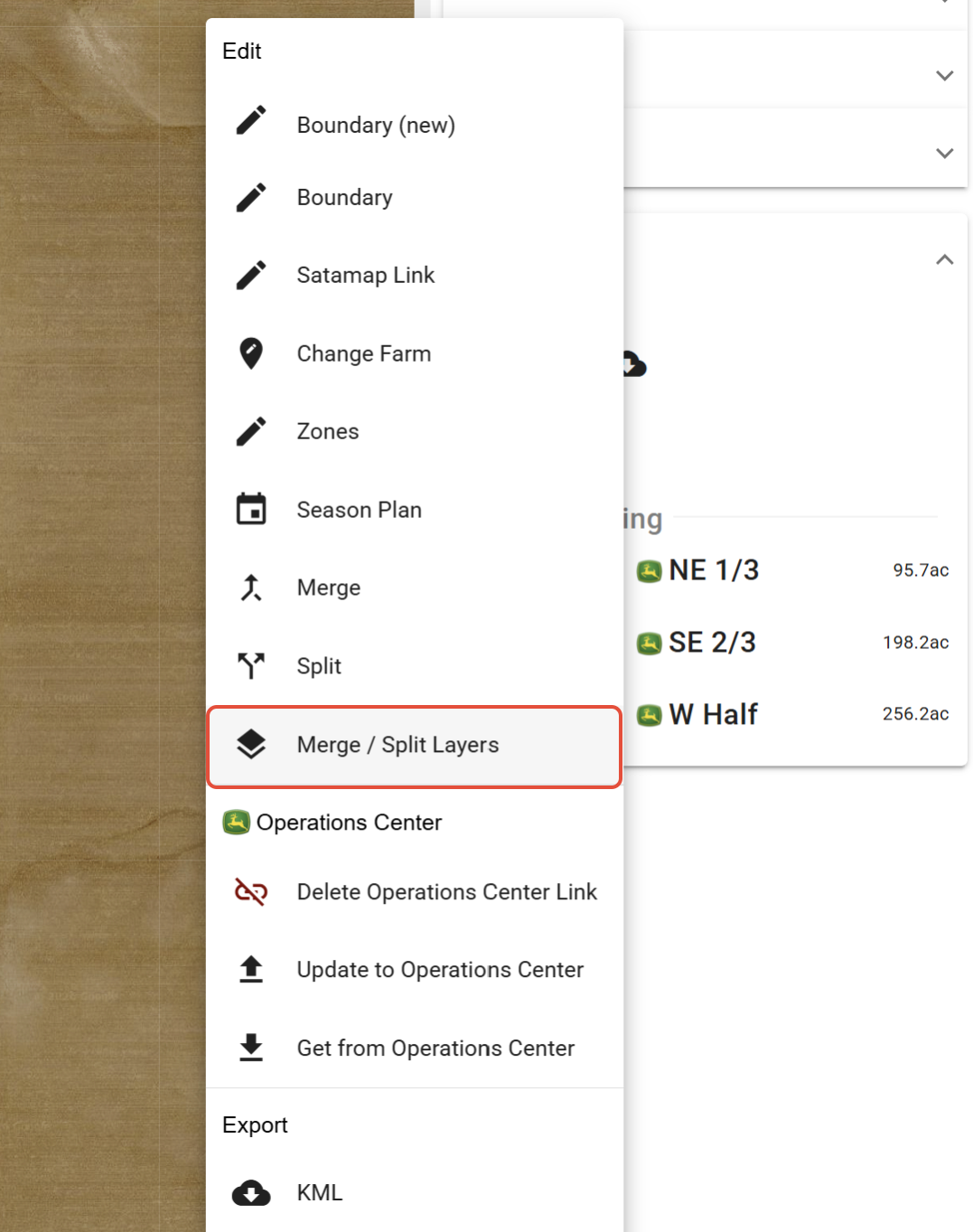
1. In the Setup tool, open the 'Field Editor' dropdown, click the 'Options' button for a Field, and select 'Merge / Split Layers'.
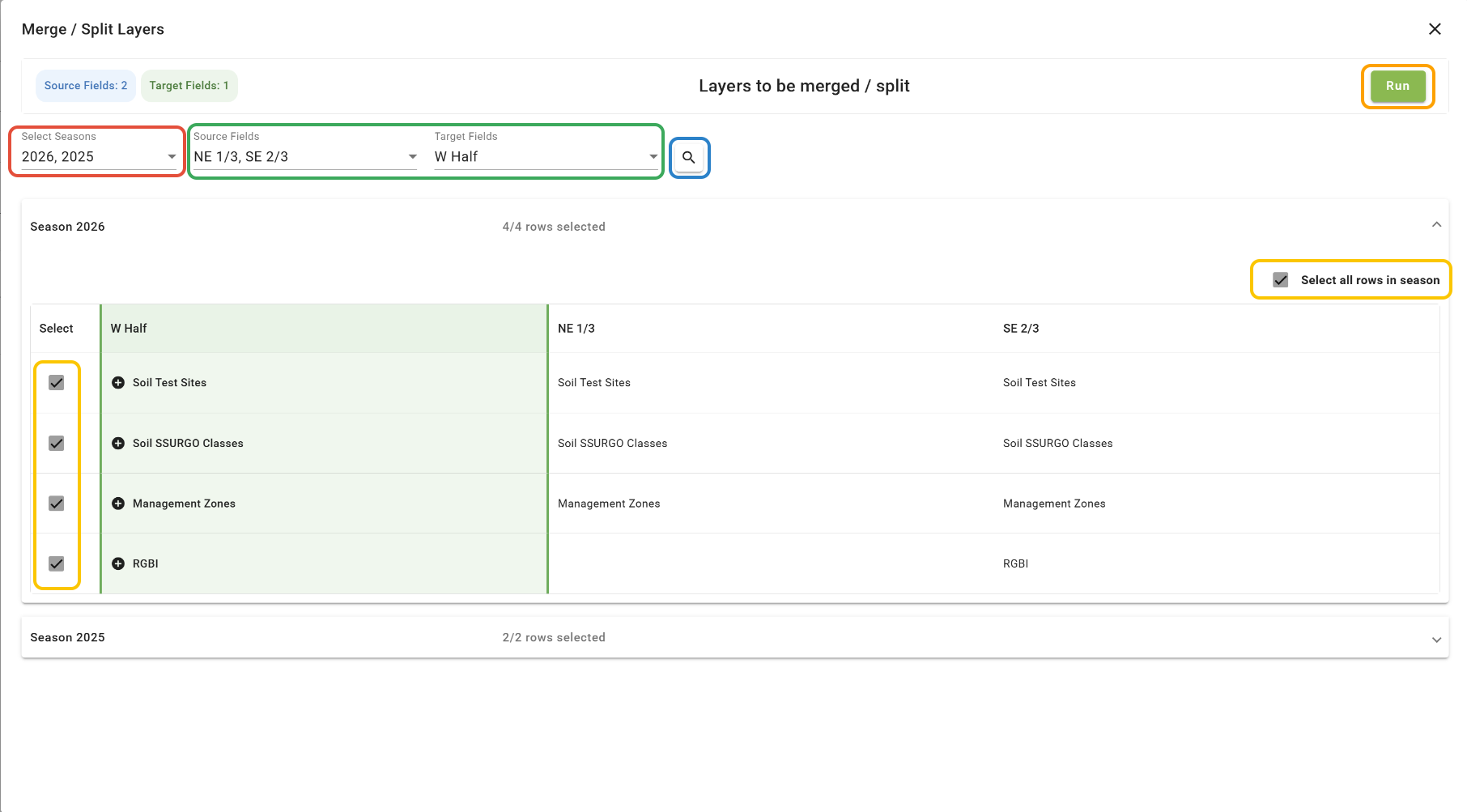
2. Select the Seasons that you would like to pull layers from.
3. Select the Target Field and Source Fields (the Target Field will be where the layers are merged, and the Source Fields are where the layers are coming from).
4. Click 'Search'.
5. Select the layers.
6. Click 'Run'.
Split Layers
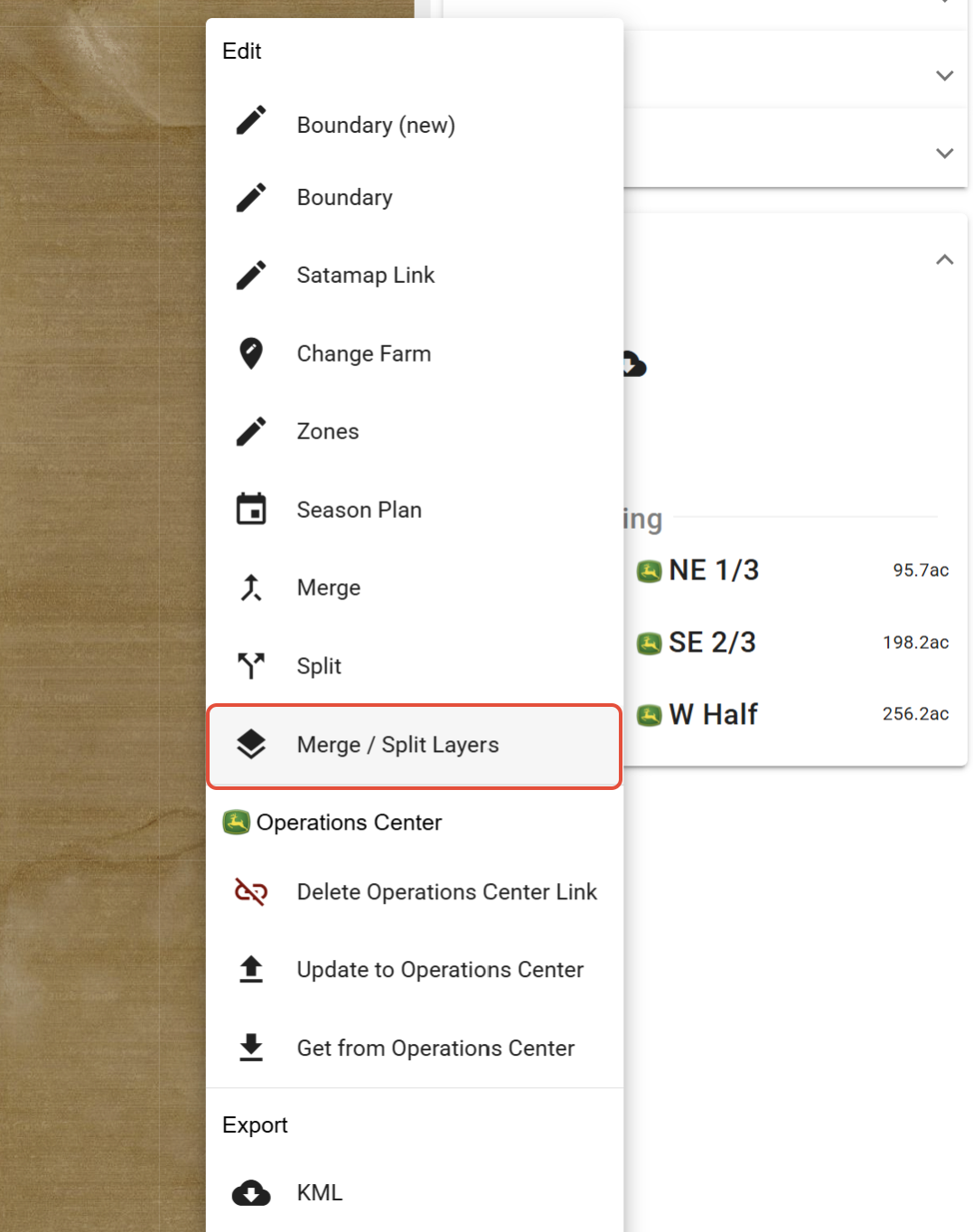
1. In the Setup tool, open the 'Field Editor' dropdown, click the 'Options' button for a Field, and select 'Merge / Split Layers'.
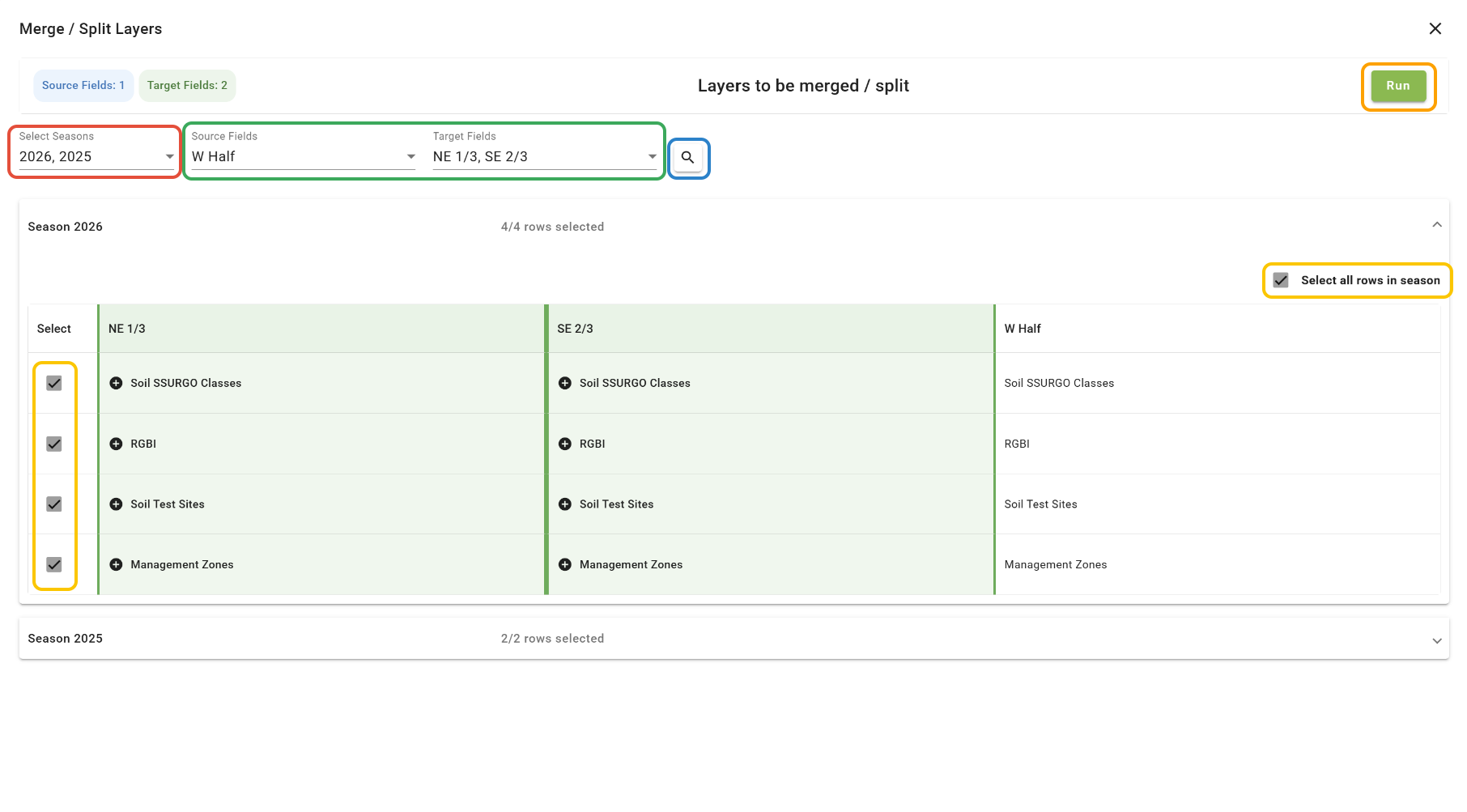
2. Select the Seasons that you would like to pull layers from.
3. Select the Target Fields and Source Field (the Target Fields will be where the layers are split to, and the Source Fields are where the layers for splitting are coming from).
4. Click 'Search'.
5. Select the layers.
6. Click 'Run'.
Was this article helpful?
That’s Great!
Thank you for your feedback
Sorry! We couldn't be helpful
Thank you for your feedback
Feedback sent
We appreciate your effort and will try to fix the article