Prescriptions created in Formula Rx can be made into Workplans or added to existing Workplans.
To access this functionality, the Grower and Field(s) that you are creating prescriptions for must be linked to Operations Center™. To learn how to integrate your account and link Growers, click HERE. To learn how to link Field(s), click HERE.
The Formula(s) that you will be using to create prescriptions must be placed at the Grower level (not set to 'ALL').
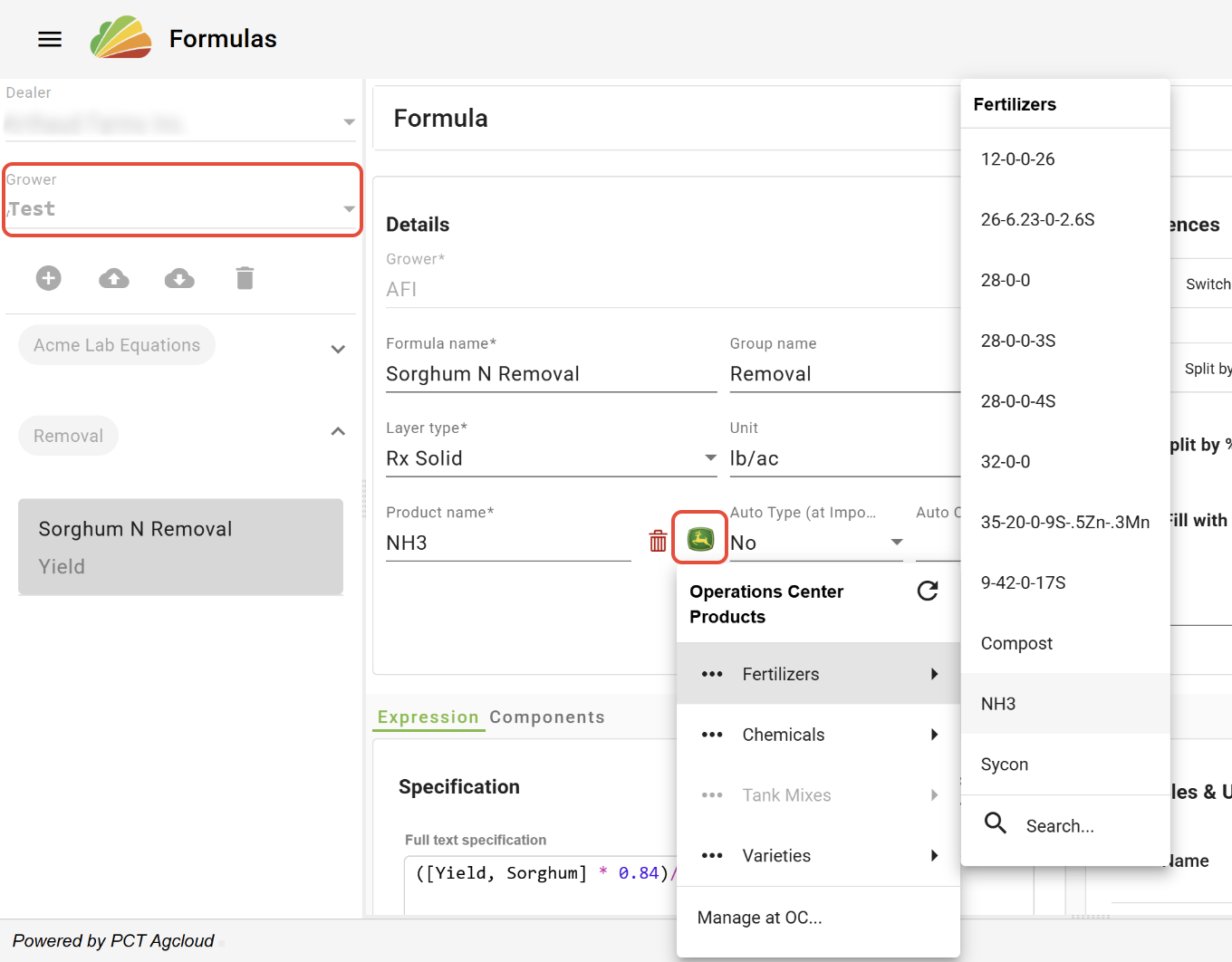
Formulas that are placed under a Grower that is linked to Operations Center™ have the ability to access the Operations Center™ product list. The Product must be selected from Operations Center™ for the resulting Rx layer to be added to a Workplan.
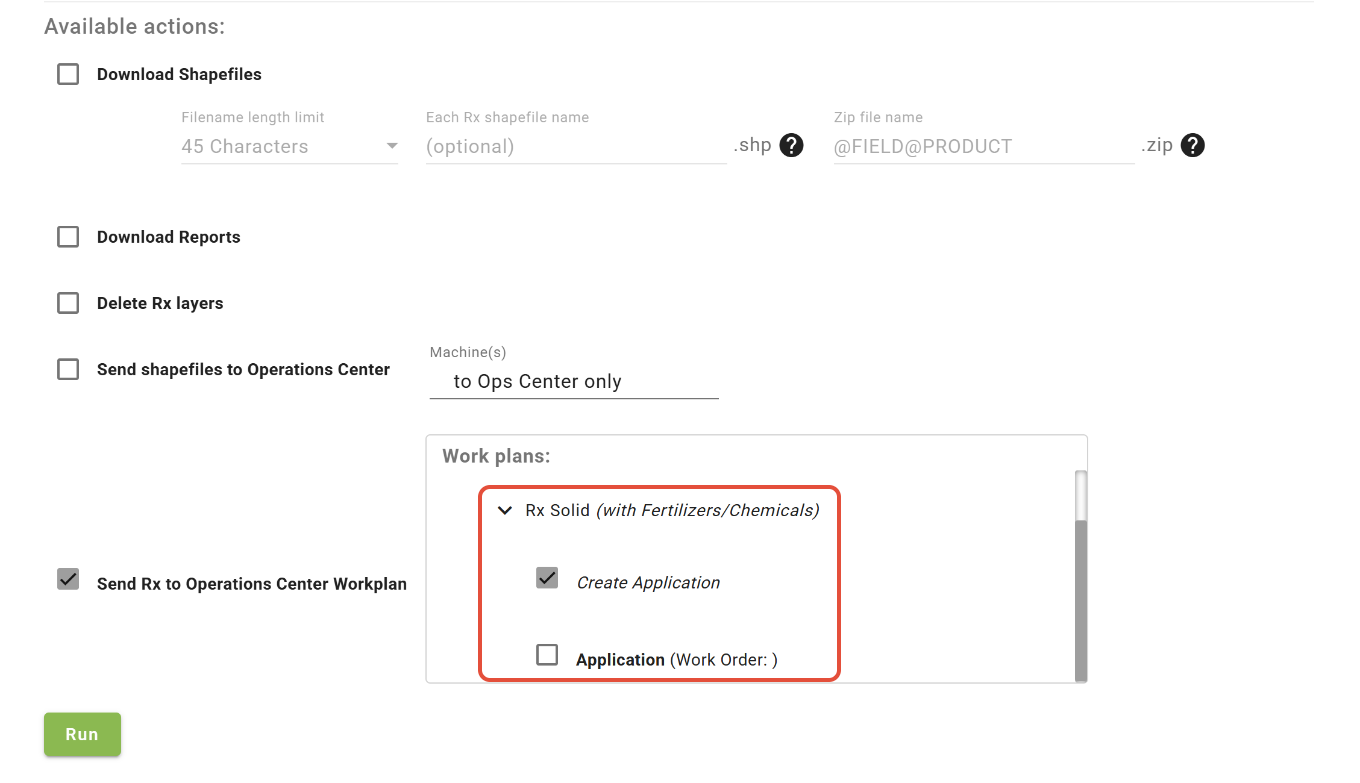
After prescriptions(s) have been created in the Formula Rx tool, choose either to create a new Workplan by checking the 'Create Application' box or attach to an existing Workplan.
Was this article helpful?
That’s Great!
Thank you for your feedback
Sorry! We couldn't be helpful
Thank you for your feedback
Feedback sent
We appreciate your effort and will try to fix the article