A custom product list can be curated within PCT Agcloud for use in Rx tools. See the video and article below to learn more.
Product lists from Agworld and Operation Center™ can be accessed as well. Click HERE to learn about the Agworld product list, and click HERE to learn more about the Operation Center™ product list.
Steps:
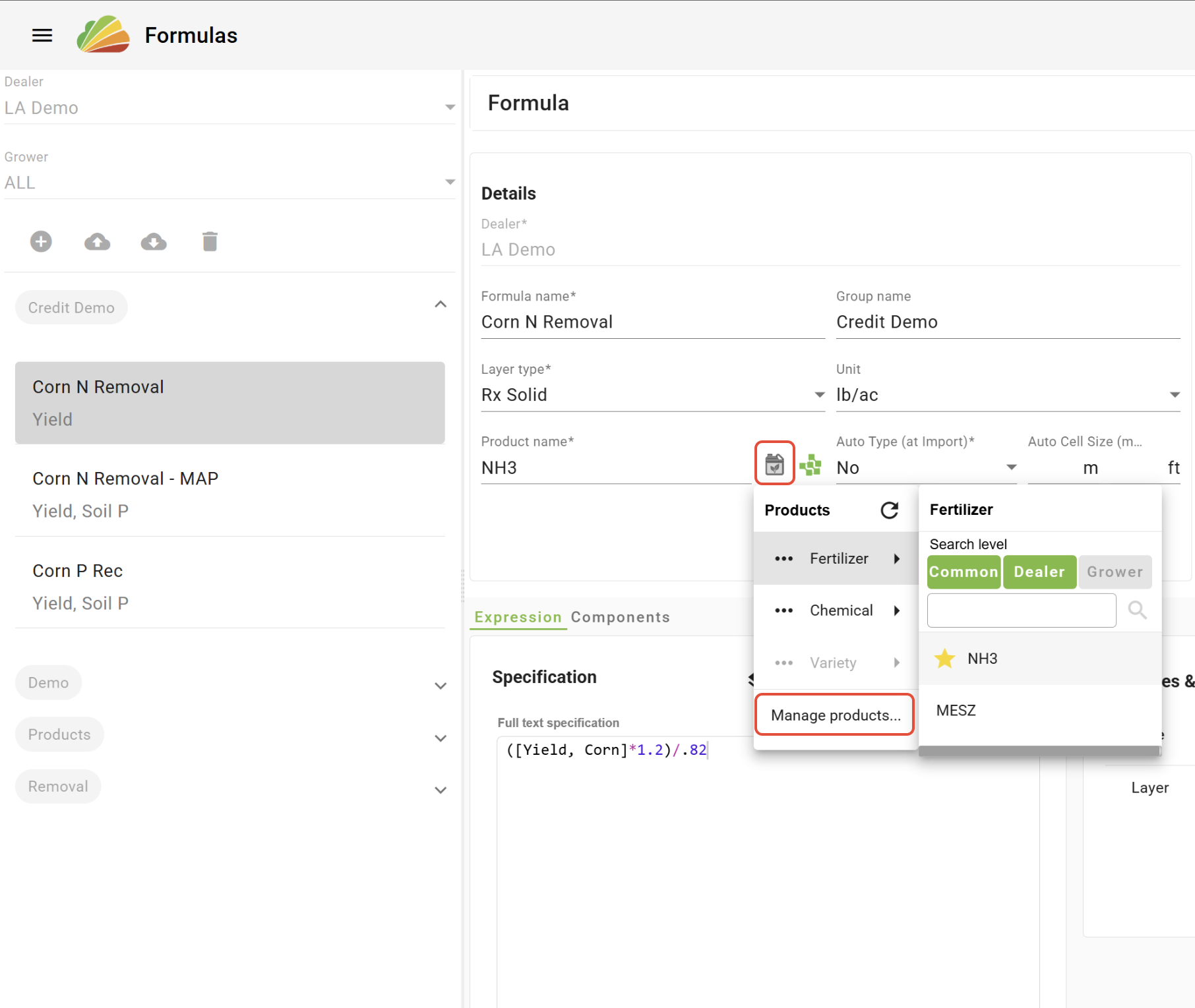
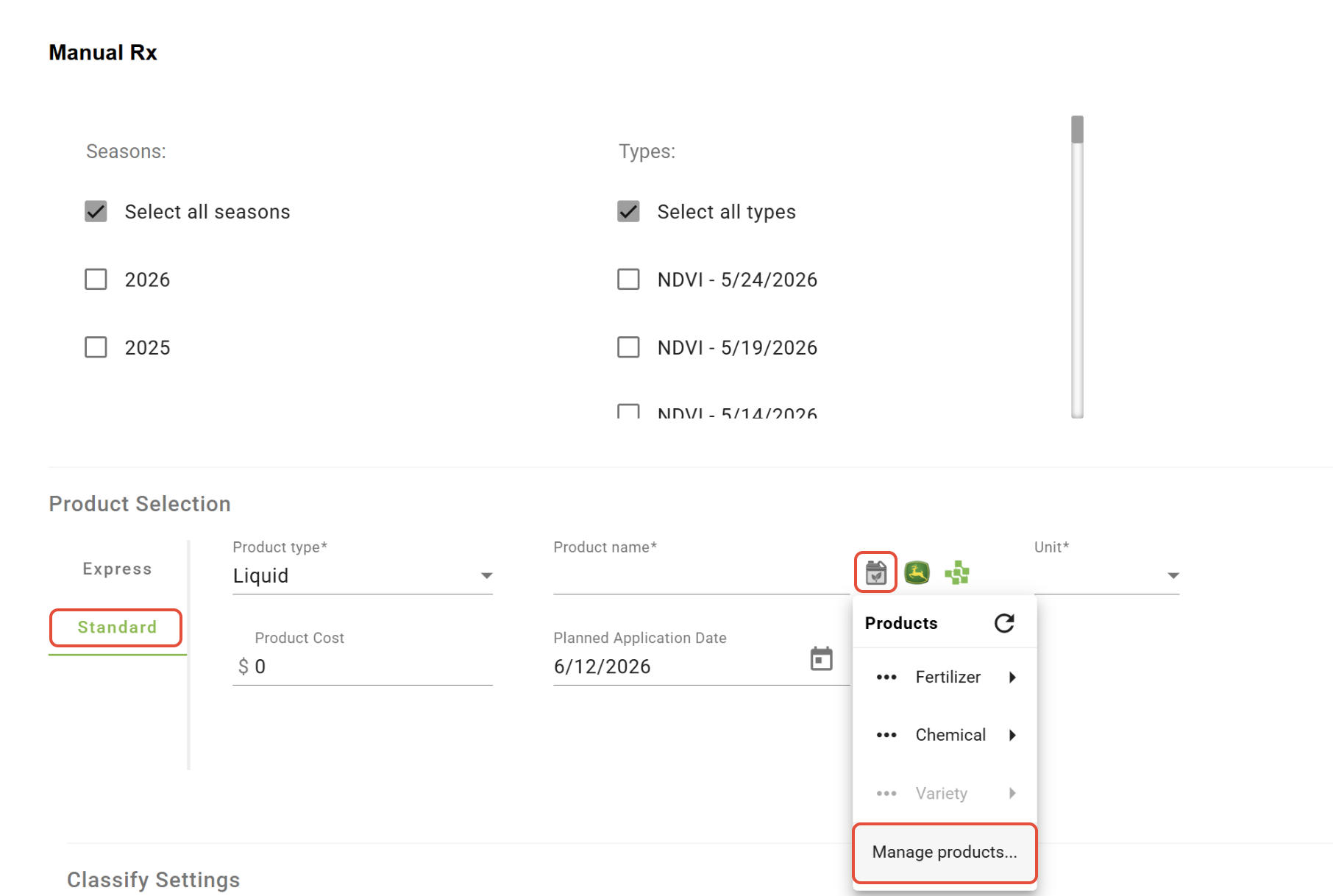
1. Access the Products tool by clicking on your username and selecting 'Products' from the dropdown, or in either the Add/Edit Formulas tool or the Manual Rx tools, click on the 'Get products' icon and select 'Manage products...'.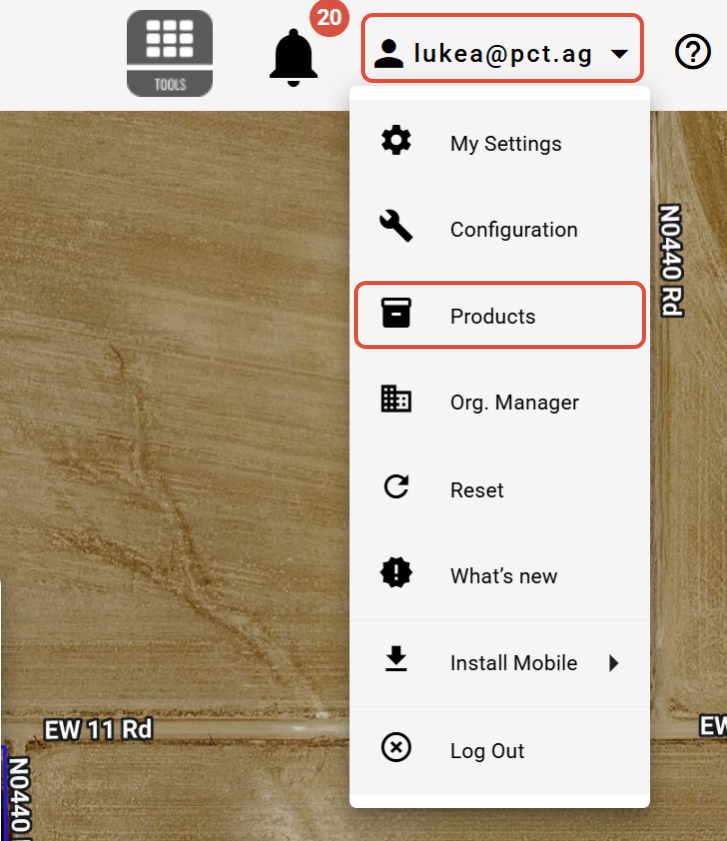
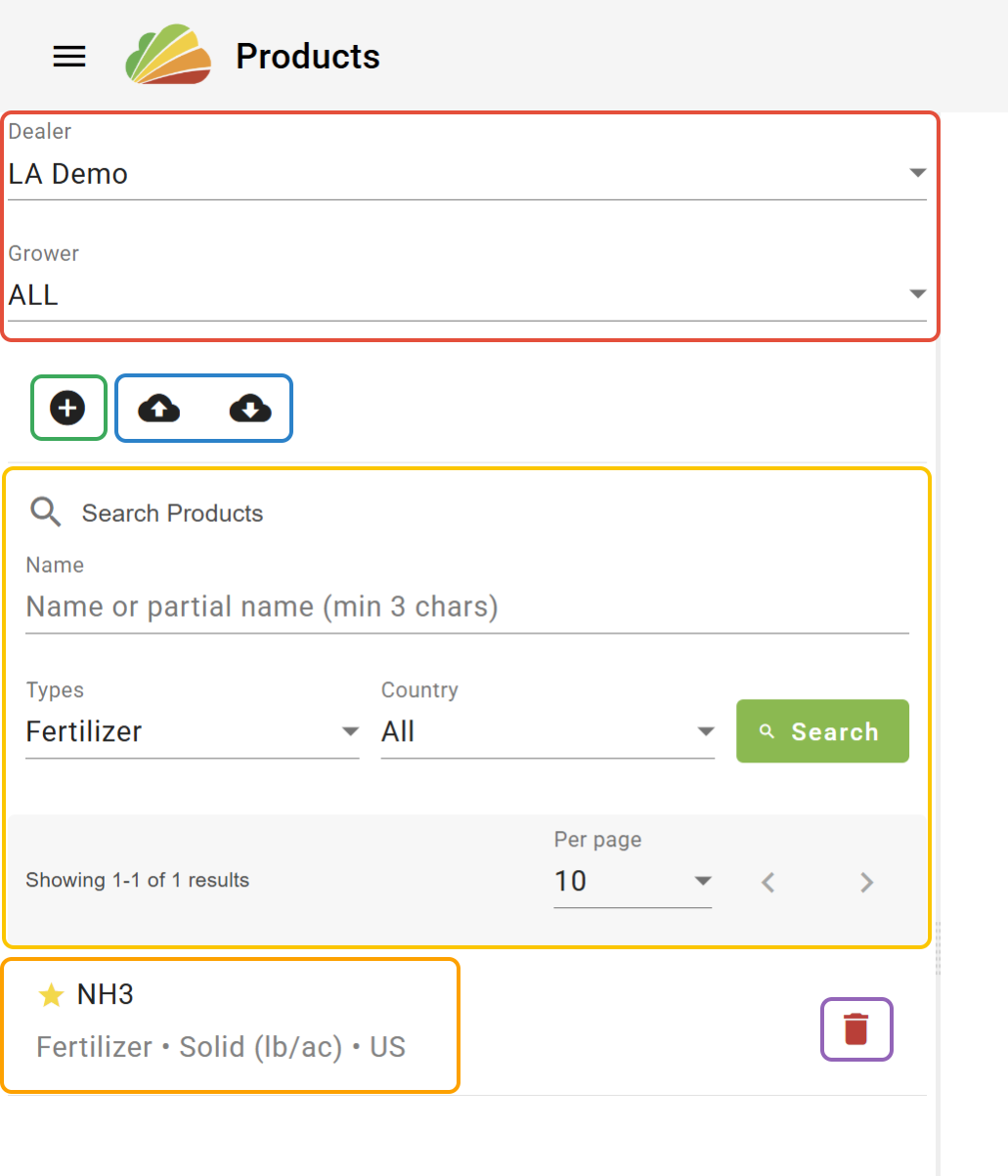
2. In the Products tool, select a Dealer and Grower or leave the Grower set to 'ALL' for the created product to be accessible in all Growers.
3. Click the 'Add' button to create a new product.
4. Use the Import and Export options to save and move products similar to Formulas and other created items in Agcloud.
5. Use the filters and search options to refine the products displayed in the list.
6. Click on a product to view and edit it.
7. Click the trash can to delete a product.
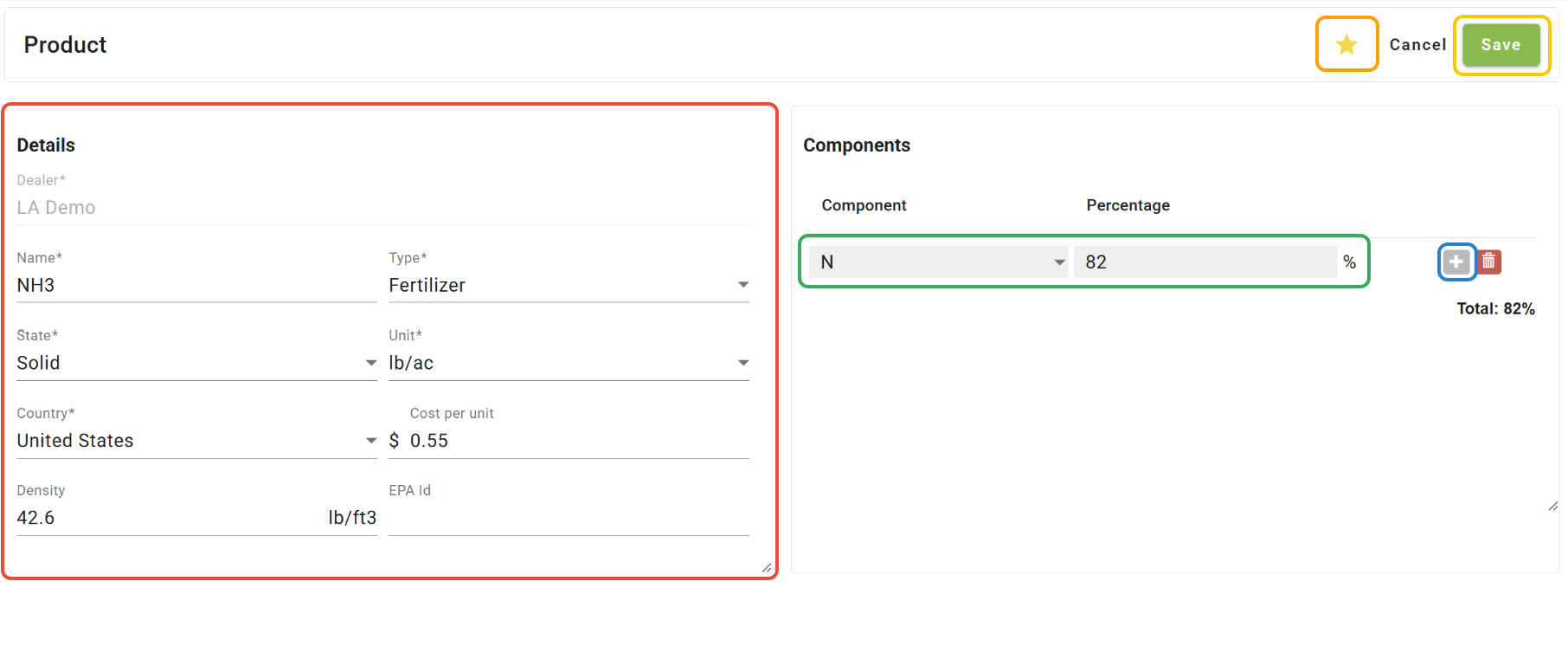
8. When creating or editing a product, enter the required details (Name, Type, State, Unit, and Country), and optional details (Cost per unit, Density, and EPA Id) where necessary.
9. For fertilizer products, nutrient percentages can be entered under the Components tab for use with Nutrient Rec formulas.
10. Click the 'Add component' button to add additional nutrient percentages.
11. When finished, click 'Save'.
12. Click the star to add the product to the favorites list.
Was this article helpful?
That’s Great!
Thank you for your feedback
Sorry! We couldn't be helpful
Thank you for your feedback
Feedback sent
We appreciate your effort and will try to fix the article