In a web page environment, to speed up performance, browsers often do not automatically refresh all items on a page. Sometimes, when things change behind the scenes (on the server), this can cause issues where the changes are not accurately reflected on the page.
If you see something that doesn't look right, or maybe you aren't seeing something that you would expect, one of the first things to try is to clear the cache and hard reload the page.
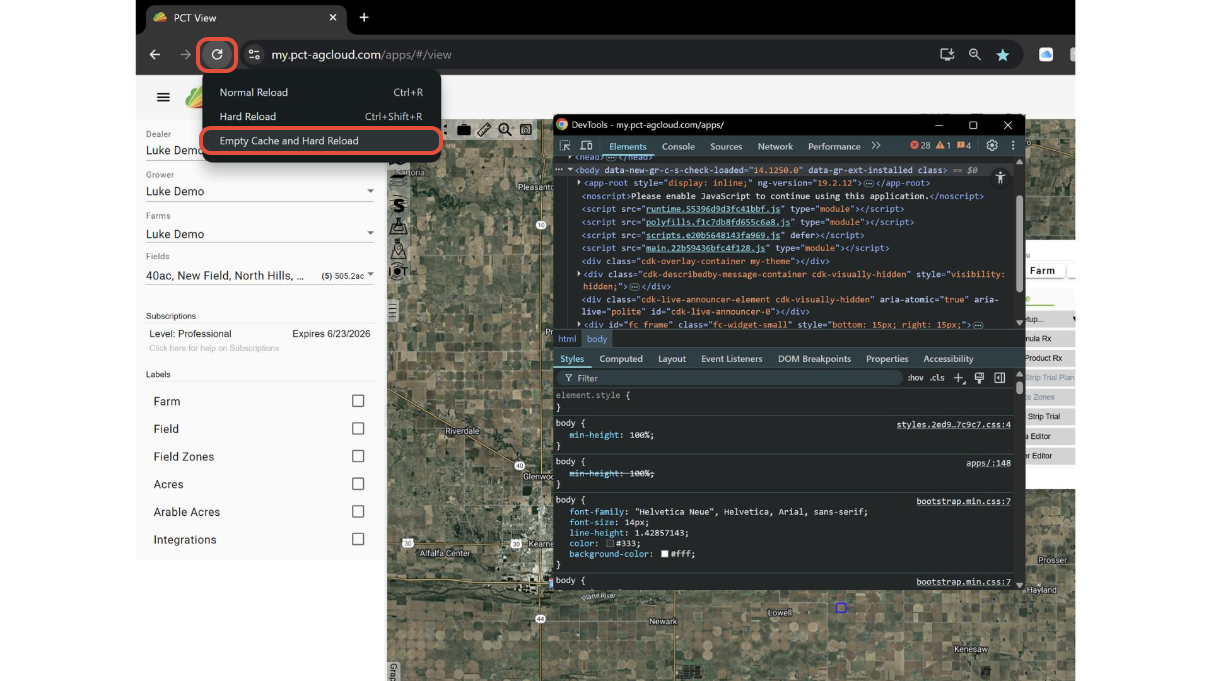
On Windows, in both Chrome and Edge, do this by opening the DevTools (Fn>F12), right-clicking the refresh button, and clicking "Empty Cache and Hard Reload".
For MacOS, in Safari, use Command+Shift+R.
Was this article helpful?
That’s Great!
Thank you for your feedback
Sorry! We couldn't be helpful
Thank you for your feedback
Feedback sent
We appreciate your effort and will try to fix the article