The PCT Sampling app is available on both Apple and Android devices. Log in with your PCT Agcloud credentials to access plans and layers.
Any sample plan saved in PCT Agcloud will be available on the PCT Sampling app. To learn more about creating sample plans in PCT, see these articles:
Create Random and LHC Sample Plans
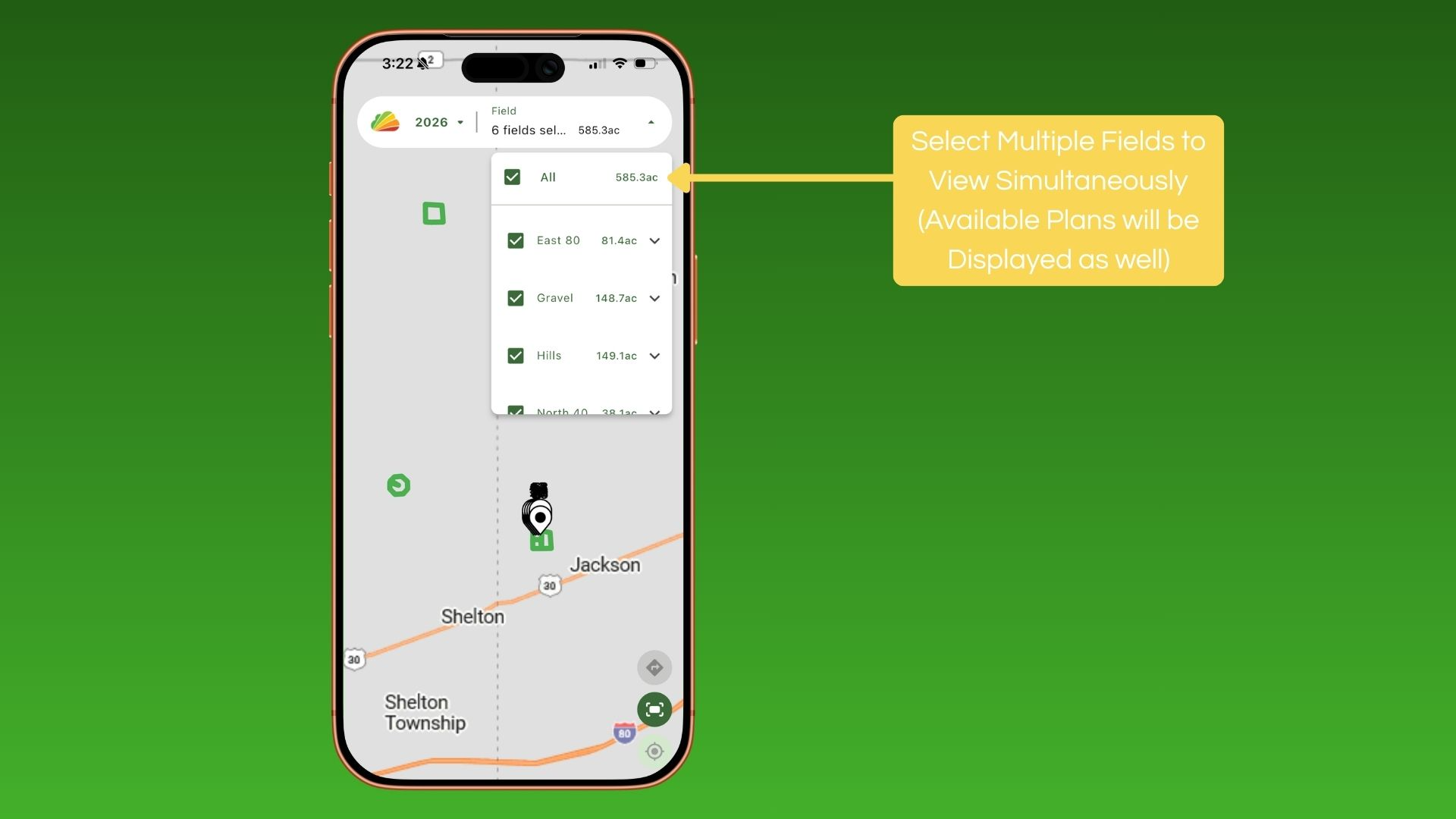
View Multiple Fields
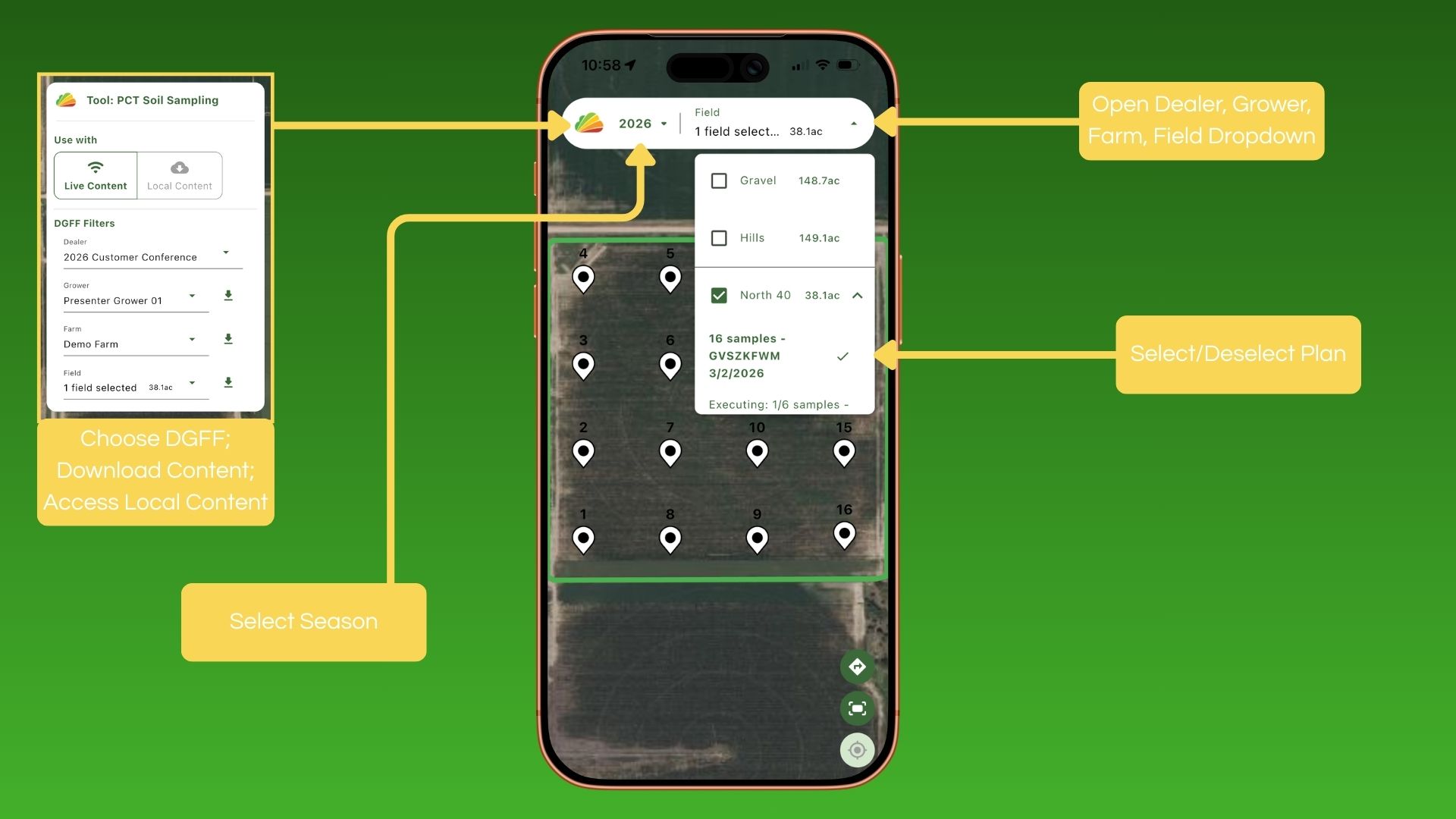
Display Plans
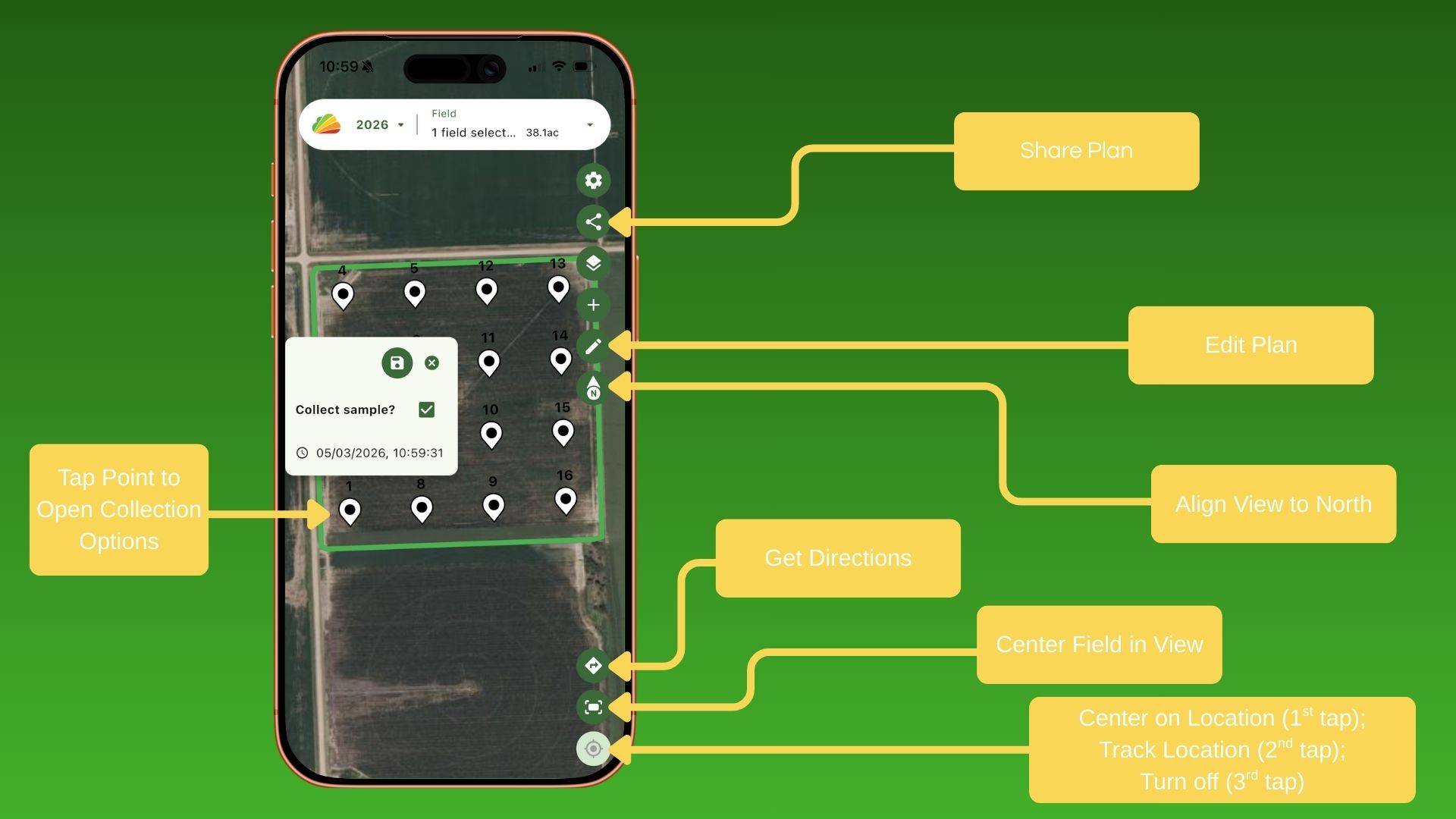
Mark Points, Edit Plans, and Adjust View
Adjust Settings

Create New Plans

View Zones, Layers, and Imagery

Was this article helpful?
That’s Great!
Thank you for your feedback
Sorry! We couldn't be helpful
Thank you for your feedback
Feedback sent
We appreciate your effort and will try to fix the article