The Compare tool in View allows for the comparison of any two layers and the creation of a PDF or CSV report of the results up to the Grower level. See the video and article below to learn more.
Steps:
1. Begin by adding a second map window to the View tool.
2. Choose a layer to be displayed in each map.
-Note: The Compare tool operates by zoning the layer in the left map (zoned layer) to then be compared against the layer in the right map (numeric layer). Keep this in mind when selecting which layer is displayed in which map window. For example, Yield should be displayed in the map window on the right as the numeric layer.
3. Open the Toolbox and select the 'Compare Tool' tab.
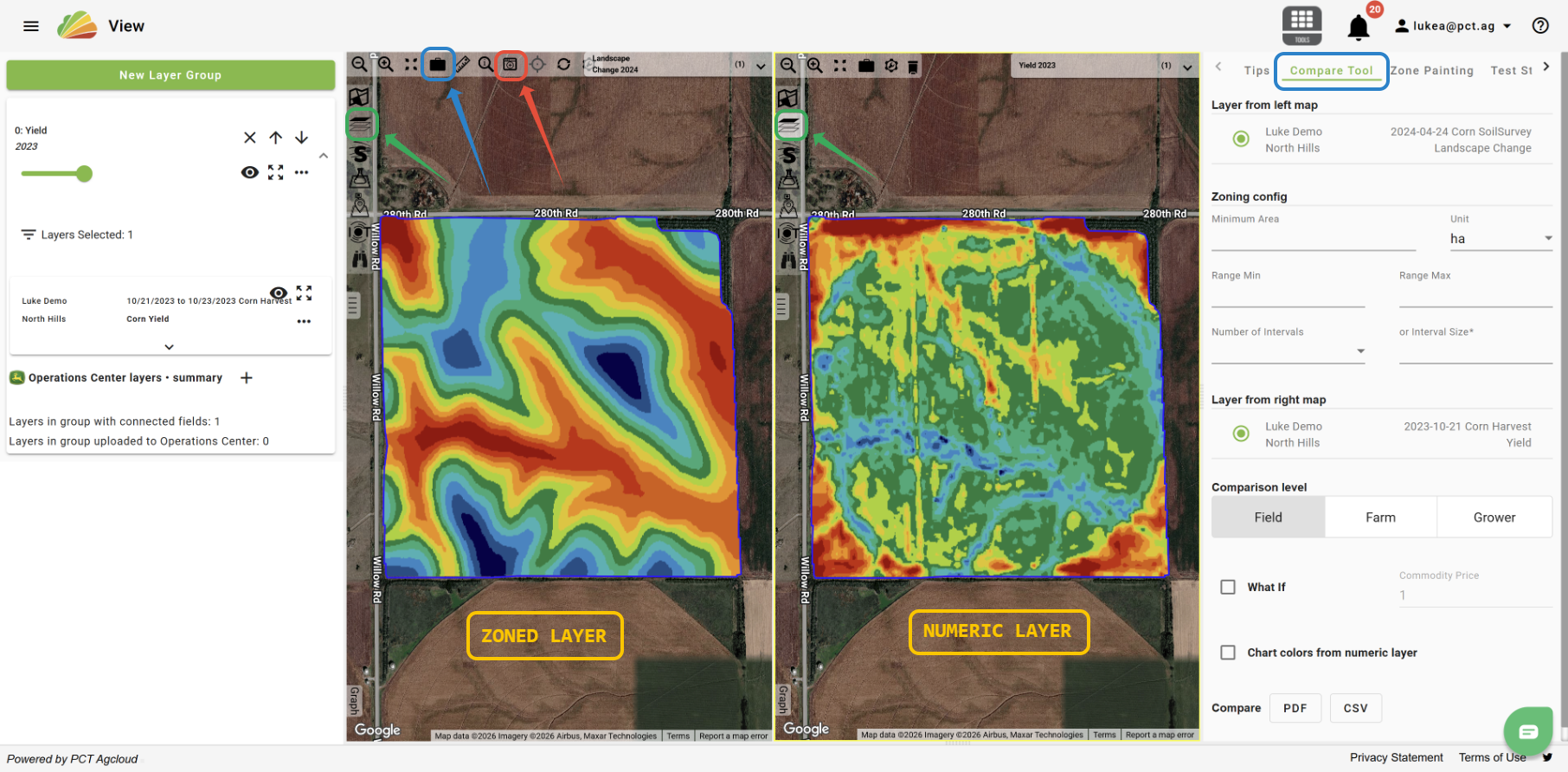
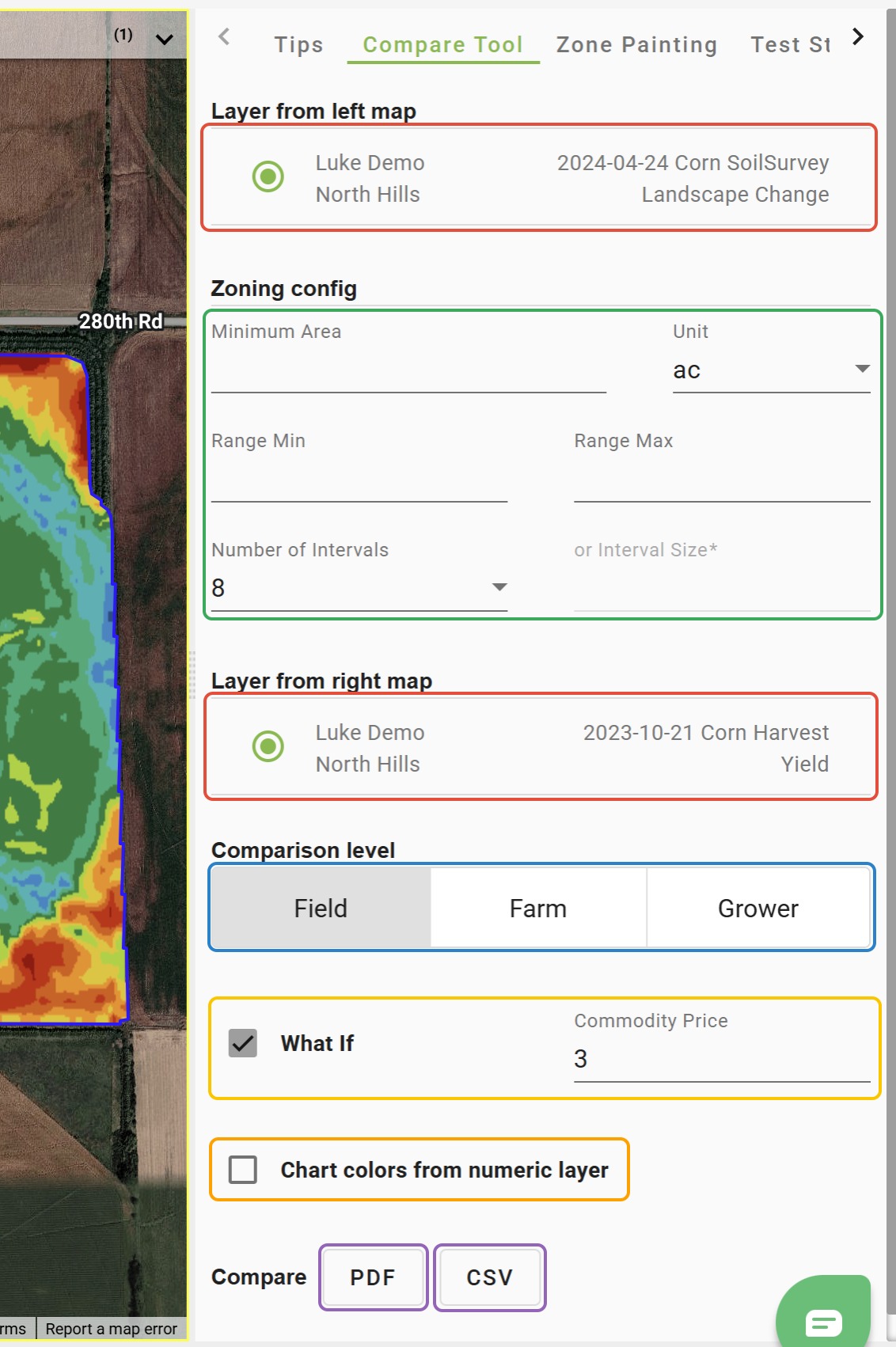
4. Under the 'Compare Tool' tab, select the layers you would like to use for the left and right maps.
5. Set the Zone Configuration Settings. These settings are applied to the
-Note: The only zoning settings that are required are the "Number of Intervals" or the "Interval Size". If you are working with a pre-zoned layer or only have a small number of values (ex. variety), you will need to set a "Number of Intervals". Additional intervals/zones will not be added if there are fewer zones than the number chosen.
6. Choose a "Comparison level". To run the comparison at the Farm or Grower level, the selected layer types (including season, crop/product, etc.) must be present for the other Fields.
7. Check the 'What If' box and enter a Commodity Price to have financial info included in the report.
8. Check the 'Chart colors from numeric layer' box to have the chart included in the PDF report to use the color legend from the right map. Leave unchecked to use the color legend from the left map.
9. Click 'PDF' to get a PDF report and click 'CSV' to get the results in a CSV.
Was this article helpful?
That’s Great!
Thank you for your feedback
Sorry! We couldn't be helpful
Thank you for your feedback
Feedback sent
We appreciate your effort and will try to fix the article